Files get passed around in chat, and nobody knows which copy is current or who made it.
Early access · built for Unreal teams
Every prop your team made.
One crate.
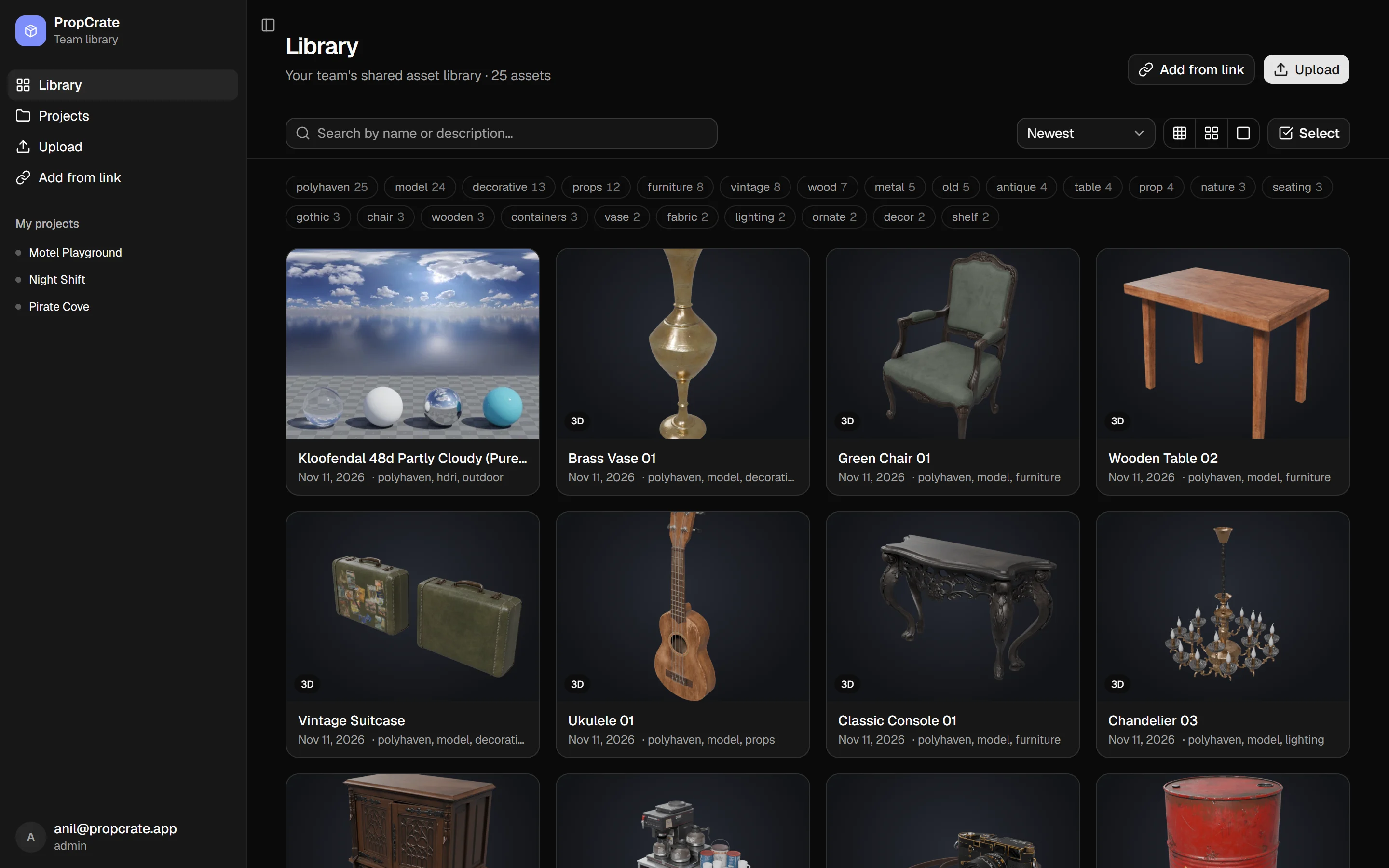
PropCrate is a shared 3D asset library for small game teams. Drop in an FBX, a .blend or a Poly Haven link. Everyone gets a 3D preview in the browser and an Unreal-ready download, textures included.
- FBX · BLEND · OBJ · glTF · STL previewed automatically
- UE 5.x ready downloads
- Unreal Engine 5
- Blender
- FBX
- glTF / GLB
- OBJ
- STL
- Poly Haven
- Sketchfab
- Fab
The problem
Your assets live in twelve places.
A Discord DM, someone's Desktop, three Drive folders and a zip called final_FINAL_v3.
Small teams lose hours every week finding, checking and re-importing the same props.
Then the textures don't make it into Unreal, and someone spends an afternoon working out why.
The license and the author's name got lost on the way from the marketplace to your project.
Features
Upload once. Everyone can find it, check it and use it.
See it before you download it
Every model gets a real-time 3D preview and a rendered thumbnail. Upload an FBX, .blend, OBJ, STL or glTF and headless Blender converts it in seconds, so artists, designers and programmers all see the same thing.
- Orbit, zoom and pan in any browser, on desktop or phone
- Thumbnails rendered automatically
- Tags, search and sorting across the whole library
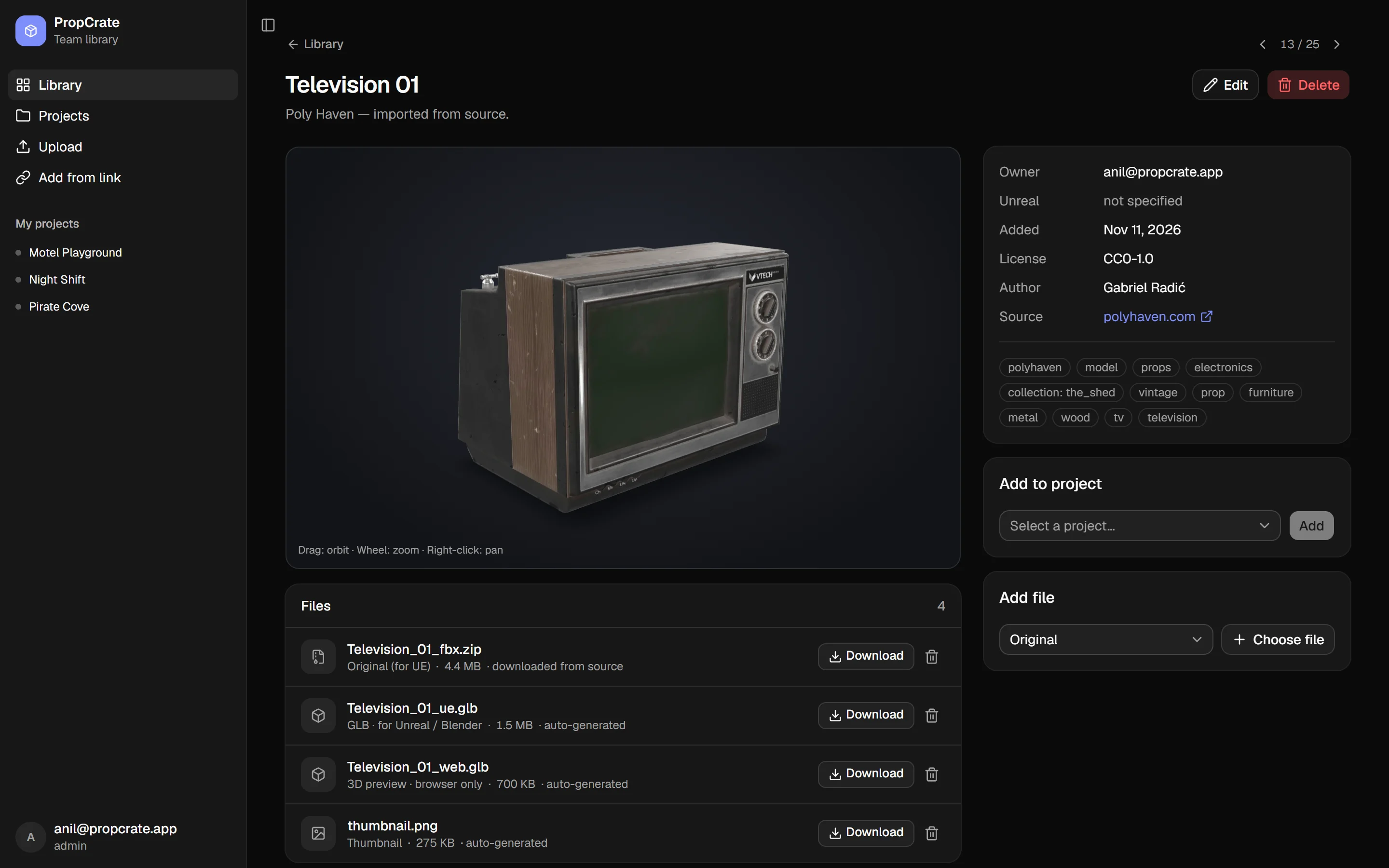
Unreal-ready, textures included
Each model comes with a GLB that Unreal's importer accepts as-is. If an FBX has embedded textures without file extensions (a common Blender export quirk that makes Unreal import them blank), PropCrate fixes the file names on upload. The geometry isn't touched.
Add from a link
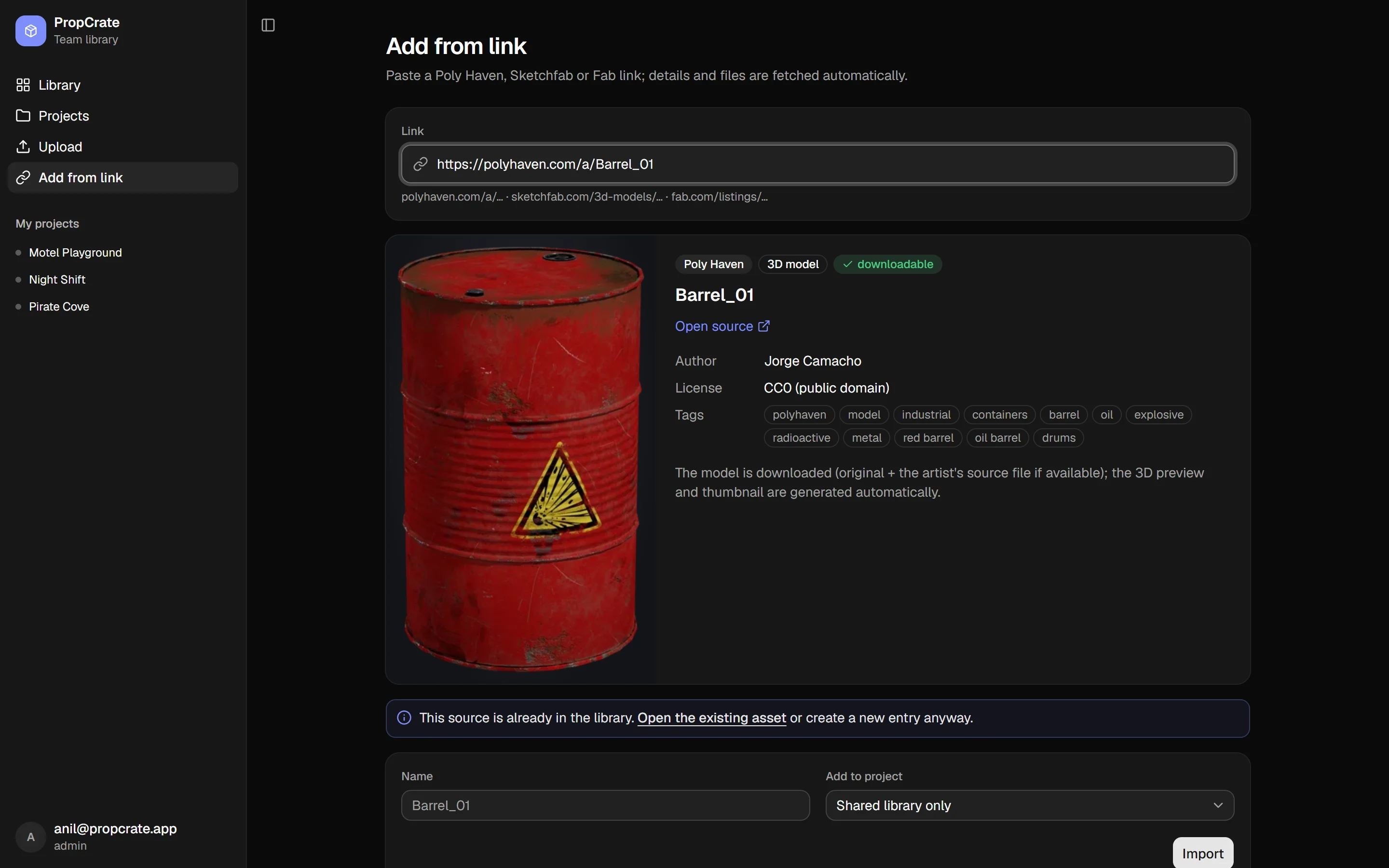
Paste a Poly Haven or Sketchfab URL. PropCrate downloads the model, renders the preview and keeps the license, author and source link next to it. Fab listings are saved as references.
Licenses travel with the file
License, author and source are part of every asset, not a note in someone's head. When a model needs attribution, the credit line is right there on its page.
Projects, without copying files around
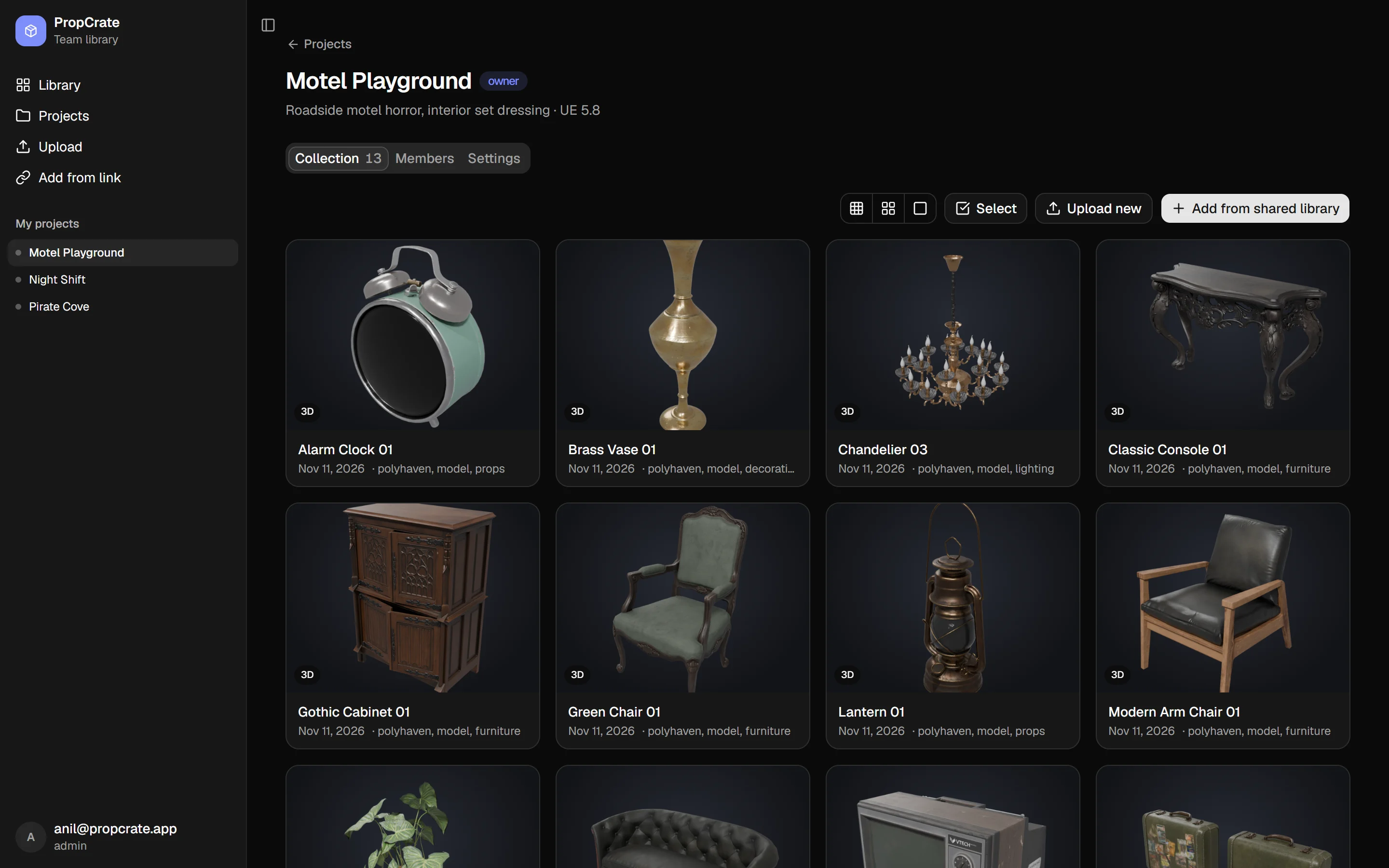
One shared library, many projects. A project is a collection of assets plus the people working on it. Add a chair to three projects and it's still one chair.
- Owner, editor and viewer roles per project
- Members only see the projects they're in
- Warns you when an asset was made in a newer Unreal version than the project
Stored once
Files are identified by their SHA-256 hash, so the same texture used by ten assets takes up space once. Uploads and downloads go directly to object storage at full speed.
Private by default
Only the people you invite can get in, with a one-time email code checked at the edge before a request reaches the app. The database is backed up every night.
Made for browsing
Three grid sizes, tag filters with counts, sorting and search by name or description. Step through assets one by one, or select a batch and add it to a project in one go.
How it works
From an artist's export to your level in three steps.
-
1
Drop it in
Upload a model from your browser, or paste a link from Poly Haven or Sketchfab. Tag it and add it to a project.
-
2
PropCrate prepares it
A worker converts the model with Blender, renders a thumbnail, builds a web preview and an Unreal-ready file.
-
3
Pull it into Unreal
Anyone on the project finds it in seconds, checks it in 3D and downloads the file that imports cleanly.
Coming soon
The Unreal Editor plugin
Browse the library inside the editor, pull assets straight into your Content folder and publish from the Content Browser without leaving Unreal.
- Browse and search the shared library from an editor panel
- Add to project with one click: download, import, done
- Publish to library from the Content Browser's right-click menu
- Version checks before you import an asset made in a newer engine
Pricing
Coming soon.
We're working with a small group of teams during early access. Pricing will be simple and built for small studios. Early-access teams will hear about it first.
Put your team's props in one place.
Tell us about your team and your engine version, and we'll set up a library for you.
FAQ
Questions teams ask us
Which file formats can I upload?
Any file can be stored. FBX, BLEND, OBJ, STL, glTF and GLB are converted automatically into a browser preview, a thumbnail and an Unreal-ready GLB. HDRIs and texture sets from Poly Haven are supported through Add from link.
Does it work with my Unreal Engine version?
Downloads are standard FBX and glTF files that Unreal Engine 5's importer handles. Each asset and project can record its engine version, and PropCrate warns you when an asset was made in a newer version than your project.
Who can see our assets?
Only people you invite. Sign-in happens before a request ever reaches the app, and inside the app each project has its own members and roles. Files are served through short-lived signed links.
Where are the files stored?
In S3-compatible object storage, with nightly database backups. Files are deduplicated by content hash, so re-uploads don't use extra space.
Is this a marketplace?
No. PropCrate is your team's private library. You can pull in free assets from Poly Haven and Sketchfab with their licenses attached, but nothing you upload is shared outside your team.
When is the Unreal plugin coming?
It's the next thing we're building. Early-access teams get it first.